MSFS 2024 Community Folder Scanner
We're excited to announce a game-changing feature for MSFS 2024 users: the Community Folder Scanner! No more manually typing ICAO codes for every airport scenery you install.
One Drag, All Your Airports
Simply drag and drop your MSFS 2024 Community folder, and we'll automatically detect all installed airport sceneries and add them to your favorites with a single click.
How It Works
Navigate to Account Settings
Go to your account settings page and find the "Favorite Airports" section.
Drag & Drop Your Community Folder
Locate your MSFS 2024 Community folder (typically at LocalCache\Packages\Community) and drag it into the scanner area.
Review & Add
The scanner will detect all airport sceneries and show you the results. Click "Add These Airports to Favorites" to add them all with a default bias of +10 and the "MSFS Scenery" group tag.
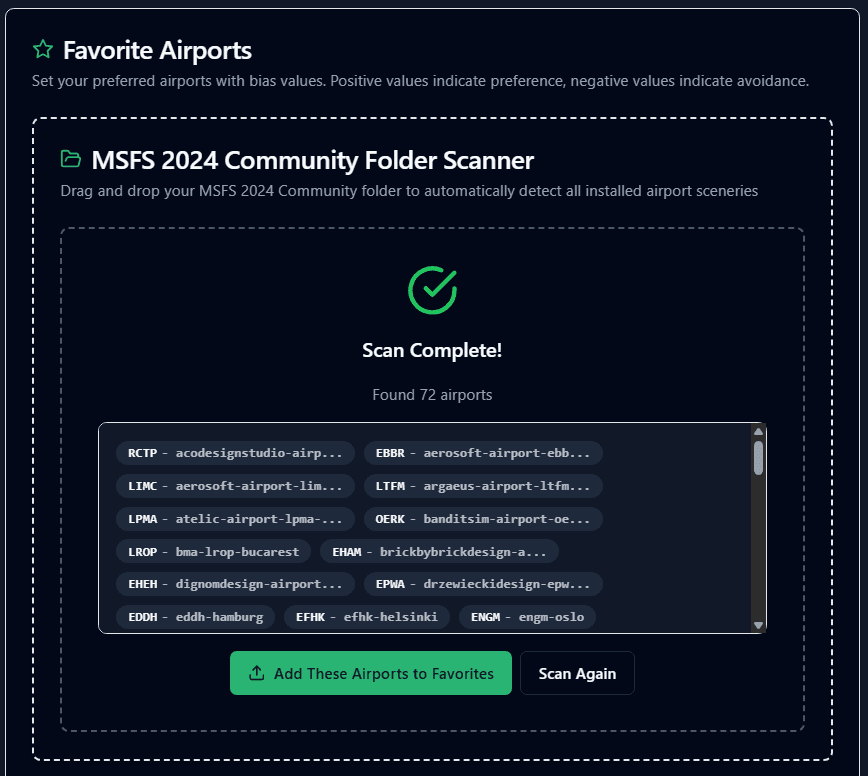
The scanner automatically detects all airport sceneries in your Community folder
Smart Filtering
The scanner is intelligent about what it includes:
Browser Compatibility
Chromium-Based Browsers Required
This feature uses the File System Access API, which is currently only supported in Chrome, Edge, and other Chromium-based browsers. Firefox and Safari are not yet supported.
Try It Now!
Head over to your account settings and try the new Community Folder Scanner. It's the fastest way to get all your favorite airports into findsim.flights!
Pro Tip: The scanner automatically adds all detected airports to the "MSFS Scenery" group, making it easy to filter and manage them later. You can always adjust bias values and groups after importing!